
Intellectual Property
Hot selling product recommendations
View More

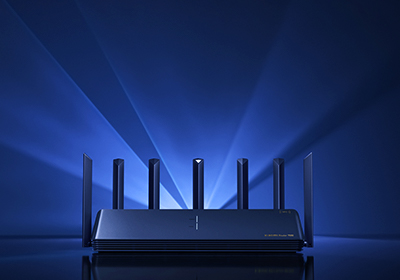




















The Cisco Catalyst 9100 family is the Wi-Fi 6 generation of Cisco access points — the indoor and outdoor units that replaced the 802.11ac wave-2 range. Four indoor series and one outdoor series are grouped on this page, and the reason they belong together is that they share the same management model: they join a Catalyst 9800 controller or run in embedded controller mode, and they all support the OpenRoaming and Wi-Fi 6 feature set that the previous generation does not.
The series differ mainly in performance class and physical form:
A model such as C9130AXE-H carries three pieces of information:
The first decision is physical. The C9115 / C9120 / C9130 / CW9166 models are indoor units — they expect a ceiling or wall mount inside a conditioned space. The C9124AX is the outdoor unit, IP67 rated, designed for weather, temperature extremes and moisture. An indoor AP mounted outside will fail; an outdoor AP mounted inside is a waste of money. There is no overlap between the two, so decide this before comparing anything else.
It is tempting to size an AP by the square metres it must cover, but what actually determines the series is how many clients associate with it and how much airtime they demand:
Coverage area can be adjusted with antennas and transmit power; client capacity cannot. If in doubt, the cost of stepping up one class is small against the cost of an unusable deployment in a busy room.
The E and I variants of the same series are otherwise the same access point, which is why you will see both listed at close prices.
The CW9166 series adds the 6 GHz band. That matters in one specific situation: a dense environment where the 2.4 and 5 GHz bands are congested and modern clients are being held back by airtime contention. Wi-Fi 6E gives those clients a clear band. In a site with modest density, or where the client devices are not 6 GHz capable, the standard Wi-Fi 6 series delivers the same throughput per client for less money. Buy 6E for density, not for future-proofing alone.
The trailing -H or -ROW code is a regional certification, and it is the one detail that cannot be corrected after purchase. An access point certified for one region will not transmit on the channels permitted in another, and the mismatch is not a configuration issue. Tell us the country of installation when you enquire and we will confirm the right variant — this is worth checking even when you are replacing a unit like for like, because the domain codes do not always follow the part numbers you may have on file.
| Model | Antenna | Regulatory Domain | Price |
|---|---|---|---|
| C9115AXI-H | Internal | -H | US$500.08 |
| C9115AXE-H | External | -H | US$902.80 |
| Model | Antenna | Regulatory Domain | Price |
|---|---|---|---|
| C9120AXI-H | Internal | -H | US$805.00 |
| C9120AXE-H | External | -H | US$950.00 |
| Model | Antenna | Regulatory Domain | Price |
|---|---|---|---|
| C9130AXE-H | External | -H | US$998.00 |
| C9130AXI-H | Internal | -H | US$1,030.00 |
| Model | Antenna | Regulatory Domain | Price |
|---|---|---|---|
| C9124AXE-ROW | External | -ROW | US$1,408.31 |
| C9124AXD-ROW | Directional | -ROW | US$1,591.72 |
| C9124AXI-ROW | Internal, IP67 rated | -ROW | US$1,591.72 |
| Model | Antenna | Regulatory Domain | Price |
|---|---|---|---|
| CW9166DI-ROW | Internal, tri-band | -ROW | US$698.00 |
| CW9166D1-ROW | Indoor Wi-Fi 6E | -ROW | US$1,418.14 |
| CW9166I-ROW | Indoor Wi-Fi 6E | -ROW | US$2,073.17 |
Prices are our current selling prices in US dollars, excluding shipping. Click a model number for the full specification table and availability. Confirm the regulatory domain against the country of installation before ordering — it cannot be changed afterwards.
The antenna arrangement, not the radio. -I models have internal antennas — nothing to install and the tidiest ceiling appearance. -E models have external antennas, which lets you shape coverage, use a higher-gain antenna for a long space, or mount the AP inside an enclosure with the antennas outside. -D is a directional model for deliberately shaped coverage. An -E and an -I of the same series perform the same; they differ in how you point them.
The C9120AX. It is the mainstream indoor model and the one most deployments standardise on. Step down to the C9115AX for low-density areas such as individual offices, and up to the C9130AX for open-plan floors, auditoriums or anywhere a large number of clients associate with one access point.
Only where density is the problem. Wi-Fi 6E adds the 6 GHz band, which is currently free of legacy clients — so in a congested environment, 6 GHz-capable clients get a clear channel while older devices stay on 2.4/5 GHz. In a site with modest client density, or where the devices on the network are not 6 GHz capable, the standard Wi-Fi 6 series delivers comparable per-client throughput for less. Buy 6E for density, not simply for future-proofing.
It is the regional certification that determines which bands and channels the access point may use where it is installed. -H and -ROW cover different sets of countries, and the code cannot be changed after purchase — nor will a unit certified for one region simply configure its way onto another region's channels. Always confirm against the destination country before ordering.
Technically the outdoor unit will work indoors, but it is unnecessary cost. The indoor units will not survive outdoors — the C9124AX is the only series here built for weather, moisture and temperature extremes, and it carries the IP67 rating that the indoor chassis do not.
The 9100 series joins a Catalyst 9800 wireless controller, or can run in embedded controller mode for small deployments without a separate appliance. Confirm the software release on your controller before deploying a new AP series — the Wi-Fi 6E models in particular need a controller release that supports the 6 GHz band.
Yes. Mounting kits, external antennas, PoE injectors and power supplies are all available alongside the access points. Tell us the series, the site environment and the country of installation and we will quote the complete bill of materials rather than the AP alone.


Get advice, answers, and solutions when you need them. For general questions, contact us at +86 152 7186 6615 / john@infdevice.com