
Intellectual Property
Hot selling product recommendations
View More





















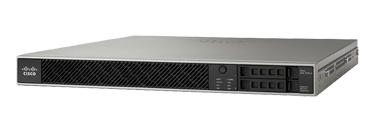
The Cisco Firepower 1000 Series is the entry point of the Firepower next-generation firewall range — the appliances a small or mid-sized site buys when it has outgrown a consumer router and needs real policy-based inspection. Four appliances make up the family: the FPR1010, a fanless desktop unit for a small office or branch; and the FPR1120, FPR1140 and FPR1150, three 1U rack appliances that step up in throughput and connection capacity.
The single most important thing to understand about these part numbers is that the same appliance is sold under two different software images, and the choice is written into the SKU:
FPR1010-ASA-K9) — runs the classic Cisco ASA software. A
stateful Layer 3/4 firewall with site-to-site and remote-access VPN, configured through
the familiar ASA CLI and ASDM. No next-generation inspection services.FPR1010-NGFW-K9) — runs Cisco Firepower Threat Defense (FTD).
The same hardware, but with the next-generation stack available: intrusion prevention,
file and malware inspection, URL filtering and application visibility, managed from
Firepower Management Center or the on-box manager.The hardware is identical — an FPR1120 is an FPR1120 either way. What differs is the software it ships with and therefore what the appliance can do. Buying the wrong one is not something a licence change can fix after the fact; the image has to be reinstalled.
Two network modules extend the appliances where the fixed port set is not enough: the FPR-NM-8X10G with eight SFP+ 10-Gigabit ports, and the FPR-NM-8X1G-F with eight copper Gigabit ports.
This decision drives the whole purchase:
In this catalogue the NGFW variants carry listed pricing and the ASA variants of the 1010, 1120 and 1140 are quoted on request, so tell us which image you need when you enquire.
Both appliances and modules are listed separately here. The FPR-NM-8X1G-F adds eight copper Gigabit ports, which is the usual requirement when a site needs to separate several internal zones without introducing an external switch. The FPR-NM-8X10G adds eight SFP+ 10-Gigabit ports, for a fibre uplink or an aggregation position. Neither is needed on a typical single-WAN branch deployment — order the module only where the port count, not the feature set, is the constraint.
The 1000 Series appliances can be managed individually through their on-box manager, or centrally through Firepower Management Center alongside the rest of a Firepower estate. If there is more than a handful of appliances, or if the intent is to move to a larger Firepower platform later, plan for the central manager from the start — it changes which licence bundle is the sensible one to buy.
| Model | Form Factor | Software Image | Position | Price |
|---|---|---|---|---|
| FPR1010-NGFW-K9 | Desktop | Firepower Threat Defense (NGFW) | Small branch / retail | US$684.00 |
| FPR1010-ASA-K9 | Desktop | ASA | Small branch — stateful firewall and VPN only | Ask for price |
| FPR1120-NGFW-K9 | 1U | Firepower Threat Defense (NGFW) | Branch — entry rack appliance | US$2,431.00 |
| FPR1120-ASA-K9 | 1U | ASA | Branch — ASA software | Ask for price |
| FPR1140-NGFW-K9 | 1U | Firepower Threat Defense (NGFW) | Mid-size site — inspection services | US$3,736.00 |
| FPR1140-ASA-K9 | 1U | ASA | Mid-size site — ASA software | Ask for price |
| FPR1150-ASA-K9 | 1U | ASA | Top of series — ASA software | US$7,141.00 |
| Model | Ports | Description | Price |
|---|---|---|---|
| FPR-NM-8X1G-F | 8 x 1G copper | Eight-port copper Gigabit network module | US$6,680.00 |
| FPR-NM-8X10G | 8 x 10G SFP+ | Eight-port 10-Gigabit SFP+ network module | US$27,208.12 |
Prices are our current selling prices in US dollars, excluding shipping. Click a model number for the full specification table and availability. ASA-image appliances are quoted on request — send us the model and quantity and we will price them the same day.
The software image, not the hardware. The ASA version runs the classic Cisco ASA firewall software: stateful Layer 3/4 inspection with IPsec and remote-access VPN. The NGFW version runs Firepower Threat Defense, which is the same appliance with the next-generation service stack — intrusion prevention, file inspection, URL and application control. Both are the same physical FPR1010.
It requires re-imaging the appliance rather than simply enabling a feature, so in practice you should choose the image at purchase time. If there is any chance the site will need intrusion prevention or file inspection, buy the NGFW variant now.
The FPR1010 — it is a fanless desktop appliance with no rack requirement, and it is the lowest-cost entry into the Firepower range. Step up to the FPR1120 when the branch needs a rack appliance or more VPN and connection capacity than the 1010 provides.
Only if the built-in port set is insufficient. The FPR-NM-8X1G-F adds eight copper Gigabit ports for segmenting internal zones; the FPR-NM-8X10G adds eight SFP+ 10-Gigabit ports for fibre uplinks. A typical single-WAN branch deployment does not need either.
Either locally through the on-box manager, or centrally through Cisco Firepower Management Center alongside the rest of the Firepower estate. If you are deploying more than a few appliances, or expect to add larger Firepower platforms later, plan for the central manager from the outset.
Yes. Tell us the appliance, the image (ASA or NGFW) and the services you intend to run, and we will quote the appliance together with the applicable subscription rather than the hardware on its own.


Get advice, answers, and solutions when you need them. For general questions, contact us at +86 152 7186 6615 / john@infdevice.com