The Workhorse That Never Complains: My Time with the Cisco ISR 4351
There's something comforting about a piece of networking gear that just works. No drama, no unexpected reboots, no cryptic error messages at three in the morning. The Cisco
ISR 4351 has been that kind of device for me over the past few years. It sits in the rack, does what it's told, and asks for nothing more than occasional firmware updates and a clean air filter. In an industry obsessed with the next big thing, the 4351 feels like that reliable colleague who shows up every day, gets the work done, and never needs praise.
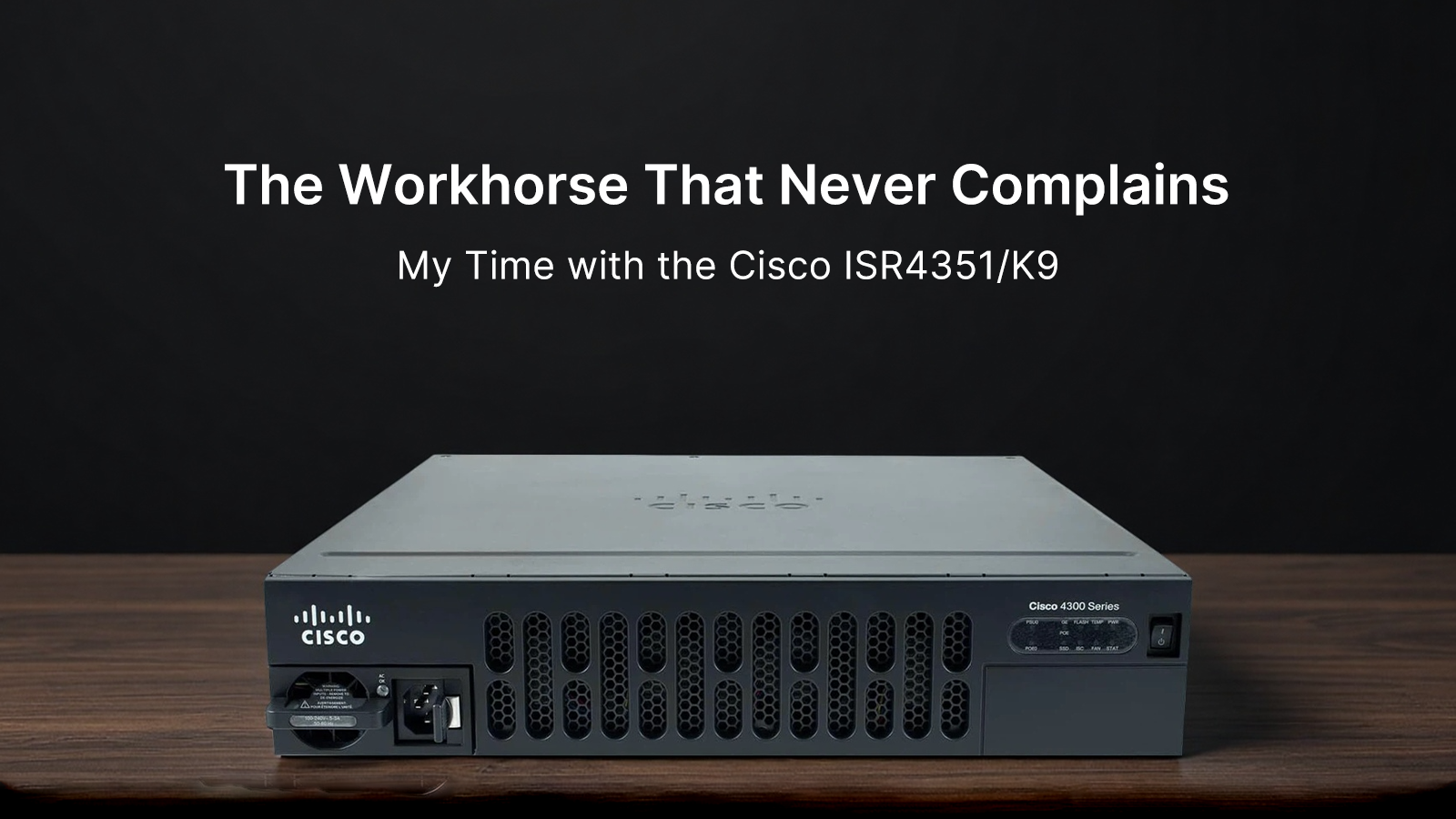
I remember the first time I unboxed one. It's lighter than the 4400 series, which caught me off guard. The
4351 occupies a single rack unit, and its depth is manageable even in older cabinets that weren't designed for modern equipment. The front panel is understated—black metal with a vented section for airflow, status LEDs that actually mean something, and the modular slots waiting to be filled. There's no unnecessary branding, no flashy design elements. It looks like what it is: a tool. The rear panel is where things get interesting. Four Gigabit Ethernet ports, two SFP+ slots for fiber uplinks, dual power supplies that slide in and out without tools, and the usual console connections. Everything is labeled clearly, and the port layout makes sense when you're crouching behind a rack with a flashlight and a patch cable.
This router was built for medium to large branch offices that need more than basic connectivity but don't require the full muscle of the 4400 series. In my deployments, the
4351 typically handles site-to-site VPNs, local internet breakouts, voice gateway functions, and security services all at once. It's the kind of box you install when you need to consolidate three or four separate appliances into one chassis. The performance is solid for its class. With the right licenses, it can push meaningful throughput while running encryption, QoS, and firewall rules simultaneously. I've had it terminate over a hundred IPsec tunnels without breaking a sweat, and the voice quality through its DSP modules remains crisp even during peak traffic hours.
| Specification |
Detail |
| Model |
Cisco ISR 4351/K9 |
| Chassis Size |
1 Rack Unit (1U) |
| Fixed Ports |
4 x 10/100/1000 GE RJ-45, 2 x 1GE SFP |
| NIM Slots |
3 |
| SM Slots |
2 |
| Default DRAM |
4 GB (upgradeable to 16 GB) |
| Default Flash |
8 GB |
| Throughput |
Up to 100 Mbps base, scalable with licenses |
| Power Supplies |
Dual redundant, hot-swappable |
| USB |
2 x USB 2.0 Type-A |
| Console |
RJ-45 and Mini-USB |
| OS Platform |
Cisco IOS XE |
| Status |
Mature platform, active support |
The user experience with the
4351 depends heavily on your comfort level with Cisco's ecosystem. If you're used to the CLI, you'll feel at home. If you're expecting a consumer-grade setup wizard, you're in for a surprise. The initial configuration requires planning—you need to think about licensing, memory allocation, and which network modules you'll need before you place the order. I've learned to appreciate this approach over time. It forces you to understand what you're building rather than just clicking through prompts. Once the base configuration is done, the router becomes remarkably stable. I've performed IOS upgrades without downtime using ISSU, swapped out failed power supplies during business hours, and added new network modules without disrupting traffic. That kind of operational flexibility is rare and valuable.
What really sets the
4351 apart is its modularity. The three NIM slots and two SM slots give you room to adapt as requirements change. I've used these slots for everything from additional Ethernet ports to legacy T1/E1 connections, from high-density switch modules to wireless LAN controllers. One site needed to connect an old PBX system that only spoke T1. Instead of replacing the entire phone system, I dropped a T1 NIM into the
4351 and kept everything running for another three years. That flexibility saves money and reduces waste. The ability to run Cisco IOx containers also means you can host lightweight applications directly on the router, reducing the need for separate servers at remote locations.
Nothing is perfect, and the
4351 has its share of quirks. The base throughput without performance licenses is conservative—really conservative. You're looking at around 100 Mbps out of the box, which feels limiting given the hardware's actual capability. Unlocking higher speeds means buying licenses, and the licensing structure can be confusing. There's performance licensing, security licensing, UC licensing, and they all stack in ways that aren't always intuitive. The power draw is also higher than some newer platforms, which adds up if you're deploying dozens of these across a WAN. The fan noise is noticeable in a quiet room, though it's not worse than most 1U enterprise gear. And if you're not familiar with Cisco's command structure, the learning curve can be steep. This isn't a device for beginners.
On the value front, the
4351 occupies an interesting space. It's no longer the newest platform, which means you can find them on the secondary market at reasonable rates. For organizations that need enterprise features without paying premium prices for the latest silicon, it's a solid choice. The total cost of ownership depends on how you license it. If you need the full feature set, the licenses can cost more than the hardware. But if you're using it for basic routing with moderate security needs, the value is excellent. The build quality means these units last for years, and Cisco's support infrastructure ensures you're not stranded if something goes wrong. I've seen 4351s running in production for five plus years without hardware failures, which is impressive for any networking equipment.
The software experience has evolved over time. Early IOS XE versions on the 4300 series had some bugs, but the platform has matured. Current releases are stable, and the integration with Cisco's management tools like DNA Center and vManage makes monitoring and troubleshooting easier. You can push configurations from a central dashboard, monitor performance metrics, and get alerts before issues become outages. That said, the CLI is still the most efficient way to work with these devices if you know what you're doing. The web interface exists, but it feels like an afterthought. Most experienced engineers I know stick to the command line or use automation tools like Ansible for configuration management.
In day-to-day operations, the
4351 fades into the background. It doesn't demand attention. Logs are clear, SNMP traps are reliable, and when things do go wrong, the diagnostic output is usually helpful. I've had to troubleshoot VPN tunnel issues, QoS problems, and routing anomalies, and the 4351's logging and debugging capabilities made finding root causes straightforward. The redundancy features work as advertised. I've tested failover scenarios where one power supply was pulled during traffic, and the transition was seamless. The same goes for WAN link failover. For a business that can't afford downtime, that reliability is worth more than any spec sheet number.
Looking at the bigger picture, the
ISR 4351 represents a certain philosophy of networking that's becoming less common. It's a self-contained, highly capable platform that doesn't require cloud connectivity to function. You own the hardware, you control the software, and you're not dependent on subscription services for basic functionality. That matters for organizations with strict data sovereignty requirements or those operating in locations with unreliable internet. The 4351 will keep routing traffic even if Cisco's cloud services go offline. There's independence in that, and for many network engineers, that independence is a feature, not a limitation.
Would I deploy the 4351 today? For the right use case, absolutely. If you need a flexible, reliable branch router and you're working within a budget that can't stretch to the Catalyst 8000 series, the 4351 makes sense. It's proven technology with a large knowledge base, plenty of available modules, and support that will be around for years. It's not the fastest or the most efficient router on the market, but it doesn't need to be. It needs to be dependable, and on that front, the ISR 4351 delivers. It's the networking equivalent of a reliable sedan—nothing flashy, but it will get you where you need to go, day after day, without complaint.