The Commit Confirm Panic and the Cisco ASR 9001 Reality
There is a specific kind of cold sweat that hits you when you type commit on a remote edge router and the connection drops before you get the confirmation. I learned this lesson the hard way with the Cisco
ASR 9001 during a firmware upgrade at a site where the only access was a unstable 4G modem. The
ASR 9001 runs IOS XR, which is fundamentally different from the IOS XE most engineers grow up with. If you do not understand the configuration database model, you can lock yourself out faster than you can say rollback. That moment of panic defined my relationship with this box. It is not a router that tolerates guesswork. It demands precision, and once you respect that, it becomes one of the most reliable pieces of metal in the rack. But getting there requires unlearning some habits.
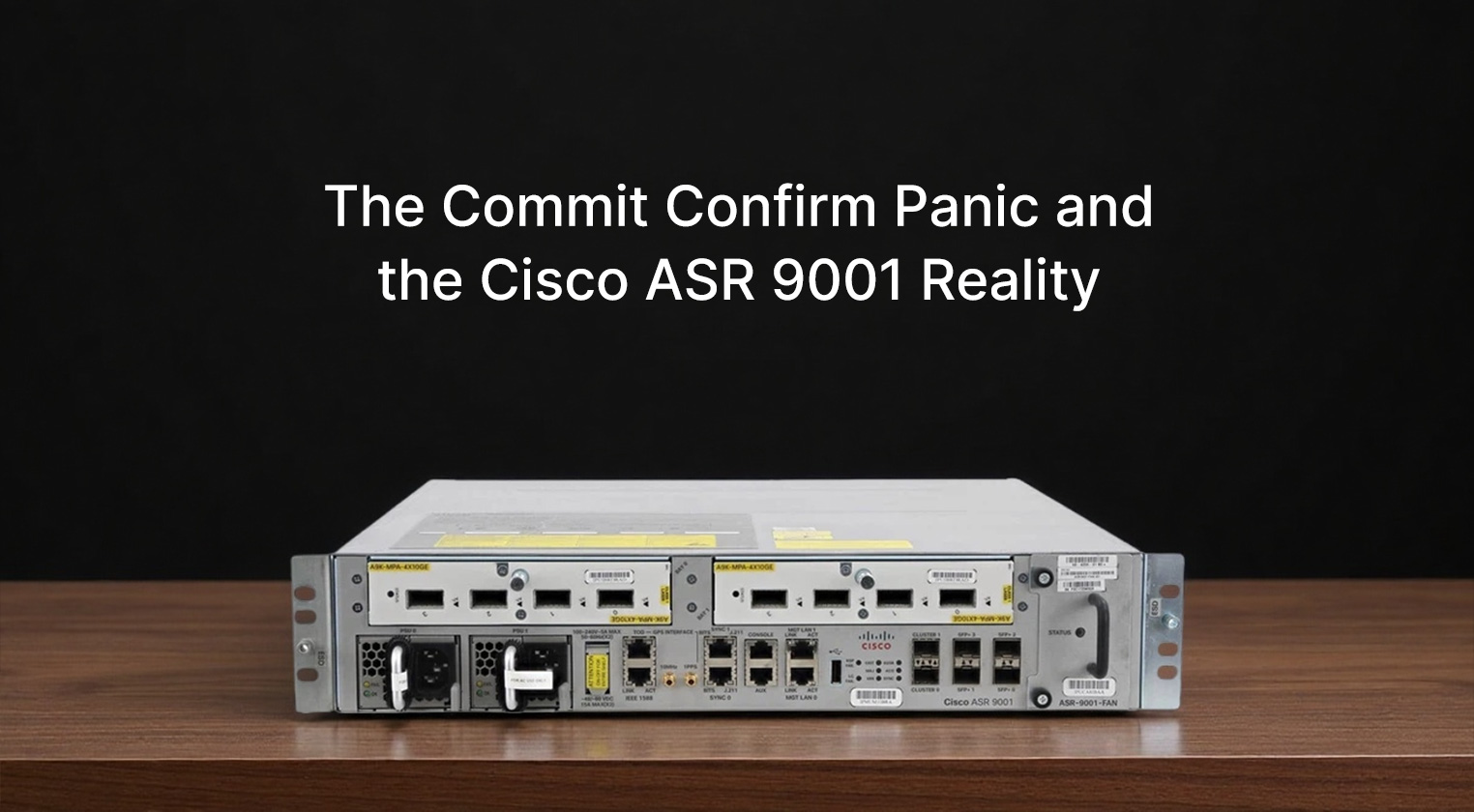
The ASR 9001 is designed for the service provider edge or large enterprise aggregation where space is tight but performance cannot be compromised. It is a fixed chassis, which means you do not get the modular flexibility of the ASR 1000 series, but you gain density in a single rack unit. That one rack unit form factor is deceptive. It packs a surprising amount of throughput into a shallow depth chassis that fits into telco cabinets where deeper equipment fails. We deployed these at cell tower aggregation points where every inch of vertical space was contested. The front panel is clean, almost minimalist compared to the modular beasts. You have your fixed ports, usually a mix of SFP+ and RJ45 management, and the status LEDs that blink in a rhythm you eventually learn to read by eye. It looks industrial, built to be ignored once installed, which is exactly what you want.
Performance-wise, the 9001 punches above its weight class. It handles MPLS, segment routing, and heavy QoS policies without breaking a sweat. The throughput is consistent, but the real story is the latency. In high-frequency trading environments or mobile backhaul where microseconds matter, this chassis holds steady. I have monitored it during traffic spikes where burst rates hit the ceiling, and the packet drop rate remained negligible. The hardware forwarding architecture is solid. However, the CPU utilization on the route processor can spike during heavy BGP updates if you are not careful with your route filtering. It is not a limitation of the hardware but rather a reminder that IOS XR handles control plane resources differently. You need to tune your policies.
| Specification |
Detail |
| Chassis Model |
Cisco ASR 9001 |
| Rack Units |
1 RU |
| Port Density |
Fixed 10GE/1GE SFP+ ports (varies by SKU) |
| Throughput |
Up to 100 Gbps aggregate |
| Operating System |
Cisco IOS XR |
| Power Supply |
Dual AC/DC redundant inputs |
| Fan Tray |
Single field-replaceable tray |
| Management |
1GE MGMT, Console (RJ-45), USB |
| Memory |
Fixed DRAM and Storage per SKU |
| Storage |
Internal SSD or HDD options |
| MTBF |
Approx. 100,000+ hours |
| Clock Synchronization |
SyncE and IEEE 1588 PTP support |
| Cooling |
Front-to-back airflow |
Living with IOS XR on the 9001 is a love-hate experience. The configuration model is transactional. You configure in a private session and then commit. This prevents half-applied configurations from breaking the network, which is brilliant until you forget to commit and wonder why nothing changed. The CLI is powerful but verbose. Commands that take one line in IOS XE might take three in IOS XR. The debugging tools are superior, though. The ability to trace packets through the forwarding engine without impacting performance is a feature I use more than I expected. But the learning curve is real. I have seen senior engineers struggle with the package management system. Upgrading IOS XR is not like loading a bin file. It involves adding packages, activating them, and committing the change. Get it wrong, and you spend hours recovering.
The user experience extends to the physical maintenance. The fan tray is accessible from the front, which is a lifesaver in crowded racks where you cannot reach the back. I have replaced a noisy fan in under five minutes without powering down the unit. The power supplies are also redundant and hot-swappable. However, the airflow is strict. Front-to-back only. If you try to reverse it or block the exhaust, the thermal sensors will throttle the ports immediately. We learned this during a cabinet reorganization when someone accidentally blocked the exhaust vent. The interface errors spiked before the alarm even went off. The hardware protects itself, but it does so aggressively. The noise level is acceptable for a data center but noticeable in a quiet room. It is not a whisper, but it is not a jet engine either. It hums with purpose.
When evaluating the cost-performance ratio, the
ASR 9001 sits in a unique spot. It is more expensive than a standard enterprise ISR router but cheaper than a full modular ASR 1000 chassis. For service providers needing high density at the edge, the total cost of ownership is favorable. You save on rack space and power compared to stacking multiple smaller units. The reliability reduces truck rolls, which is where the real money is saved. For an enterprise campus, it might be overkill unless you are running specific service provider features like MPLS TE or advanced segment routing. The licensing model is typical Cisco. You pay for the features you need, and the throughput licenses can add up. It is not a budget box, but it is not the most expensive option in the portfolio either. It is priced for reliability, not bargain hunting.
The advantages are clear. The 1 RU density is unmatched for this class of performance. The IOS XR stability is carrier-grade. Once configured, it runs for years without needing a reboot. The synchronization features for mobile backhaul are excellent. The hardware build quality is robust, surviving temperature fluctuations that would kill lesser devices. The commit model prevents configuration errors from taking down the network instantly. These are the reasons it ends up in critical infrastructure. It is built to survive neglect and misconfiguration better than most platforms.
However, the disadvantages are significant for the unprepared. The IOS XR learning curve is steep. Documentation can be dense and sometimes assumes knowledge of service provider architectures. The fixed port configuration means you cannot upgrade interfaces without replacing the whole unit. If you need 40GE or 100GE later and your model only supports 10GE, you are stuck. The memory and storage are fixed at purchase, so planning is critical. There is no expanding RAM later. The package management for software upgrades is complex compared to traditional IOS. And while the hardware is reliable, the fan tray failure rate seems slightly higher than expected based on our fleet data. Keeping a spare fan on site is mandatory.
In the end, the
ASR 9001 is a specialist tool. It is not a general-purpose router. It excels in service provider edge, mobile backhaul, and high-density aggregation roles where space and reliability are paramount. If you treat it like a standard enterprise router, you will fight it. If you embrace the IOS XR workflow and plan your capacity carefully, it becomes invisible infrastructure that just works. I still double-check my commit commands before hitting enter. That paranoia never really goes away. But when I see the uptime counter ticking past 500 days on a remote site accessed only via a shaky connection, I know the choice was right. It is a router that demands respect, but it gives stability in return. And in this business, stability is the only metric that truly matters when the lights go out.